A year ago, I hadn’t even heard of Lua. Now, I’ve used it to contribute to custom healthcare integrations in Iguana. Learning Lua was less about starting from scratch and more about applying familiar programming concepts in a new syntax. Its simple, readable structure makes it quick to pick up, especially if you already have experience with other programming languages.
But the real advantage is how Iguana supports development with Lua. In this post, we’ll explore what Lua is, how it compares to other common languages, and how Iguana helps you create interfaces with reusable components, coding assistance, and real-time feedback as you build.
What is Lua?
"Lua" means "Moon" in Portuguese. It is a scripting language known for being lightweight, portable, embeddable, and simple.
Performance: Lua is designed to be lightweight and efficient.
Portability: Comes in a small package, and runs on almost every system (all systems with a standard C compiler).
Extendability: Can be used to integrate with other languages.
Simplicity: Lua has a very simple syntax and is quite readable.
There are many more nuances to Lua, some more reading material can be found at https://www.lua.org/about.html and https://www.tutorialspoint.com/lua/index.htm.
Lua will feel familiar if you know other scripting languages
Although Lua may be unfamiliar by name, many of its core concepts are shared with languages like Python and JavaScript. If you have experience with variables, functions, conditionals, loops, modules, or working with structured data like JSON, you already understand many of the building blocks used in Lua.
The main differences are in the syntax, conventions, and a few Lua-specific concepts. Lua uses tables as its primary data structure, while Python commonly uses dictionaries and lists, and JavaScript commonly uses objects and arrays. Lua also has a smaller standard library by design, which helps keep the language lightweight. In Iguana, that smaller core language is complemented by built-in APIs, and reusable components designed specifically for integration work.
So, learning Lua is less about starting from scratch and more about applying familiar programming concepts in a new syntax.
To show how familiar Lua can feel, let’s compare a simple example across Lua, Python, and JavaScript.
In the below code snippets, we:
- Define JSON data.
- Parse the JSON data into a variable.
- Print specific fields of the data.
Lua:
Python:
JavaScript:
Of course, this is a very simple example, and the differences between languages also depend on the types of workflows you are coding. That being said, this example illustrates Lua's simple syntax. If you are already fluent in another programming language, you can see that transferring concepts into Lua would, for the most part, feel natural.
Iguana's development environment leverages Lua's benefits and provides assistance to developers
Lua’s simplicity, readability, and lightweight design make it a practical fit for Iguana’s development environment. But what makes Lua especially approachable in Iguana is the tooling around it: pre-built components, reusable libraries, coding assistance, and live feedback as you build.
Pre-built Components and Libraries
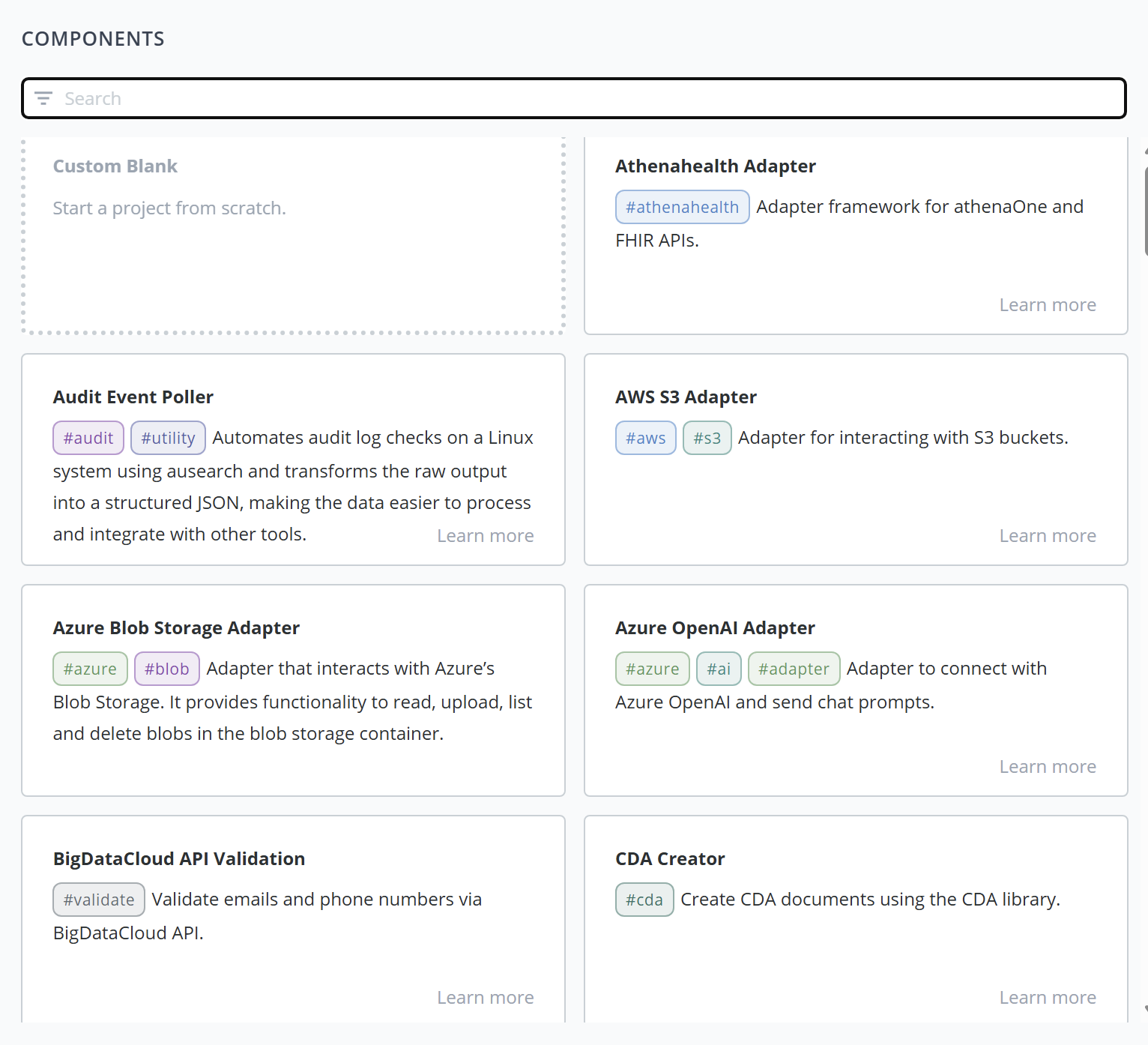
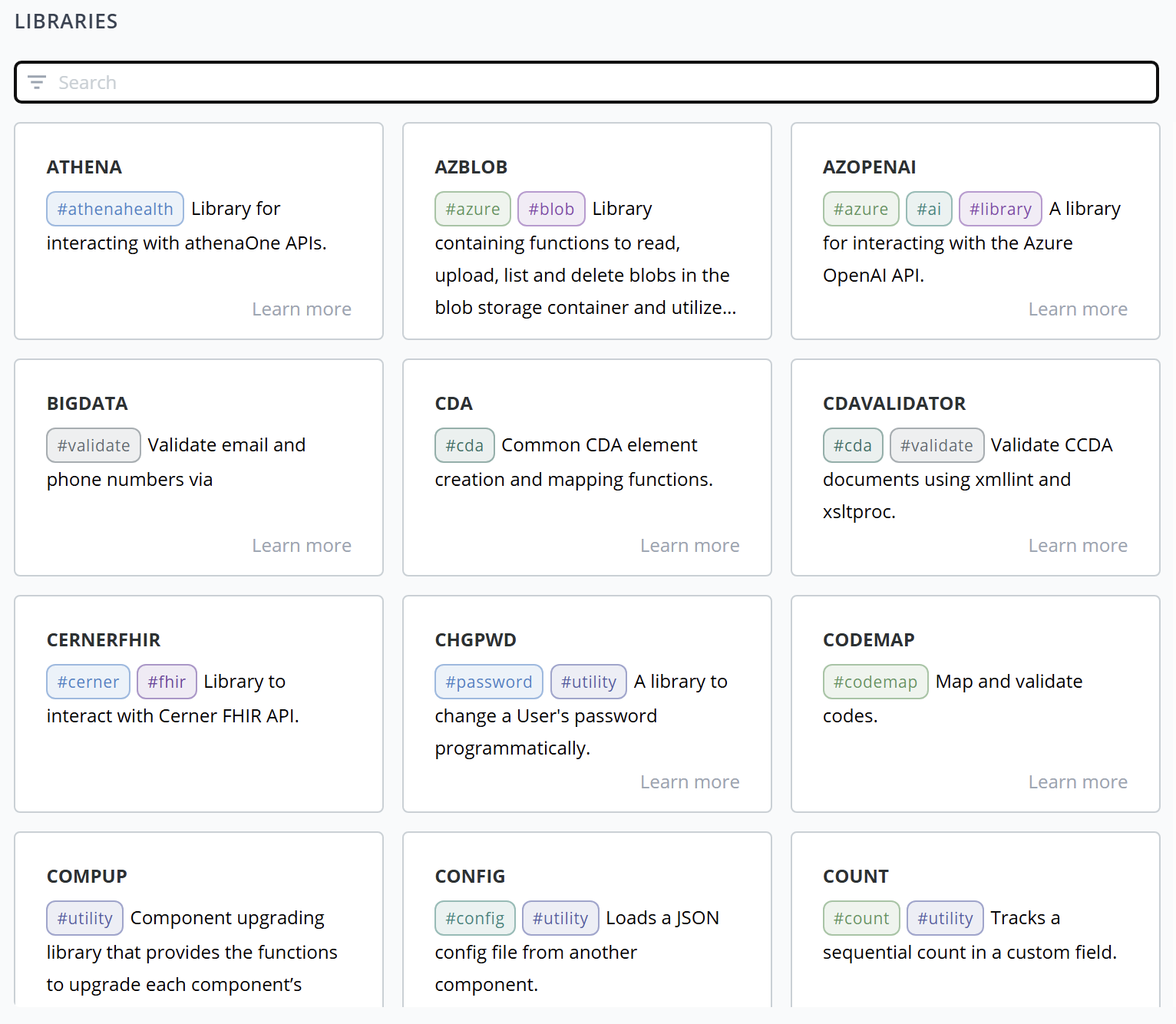
Iguana comes equipped with pre-built modules that you can use out-of-the-box to build your integrations. Each component is built using Lua, and all source code is viewable and editable, giving you full control and visibility into your integrations. The below image is a glimpse into the Translator, Iguana's IDE for building components.
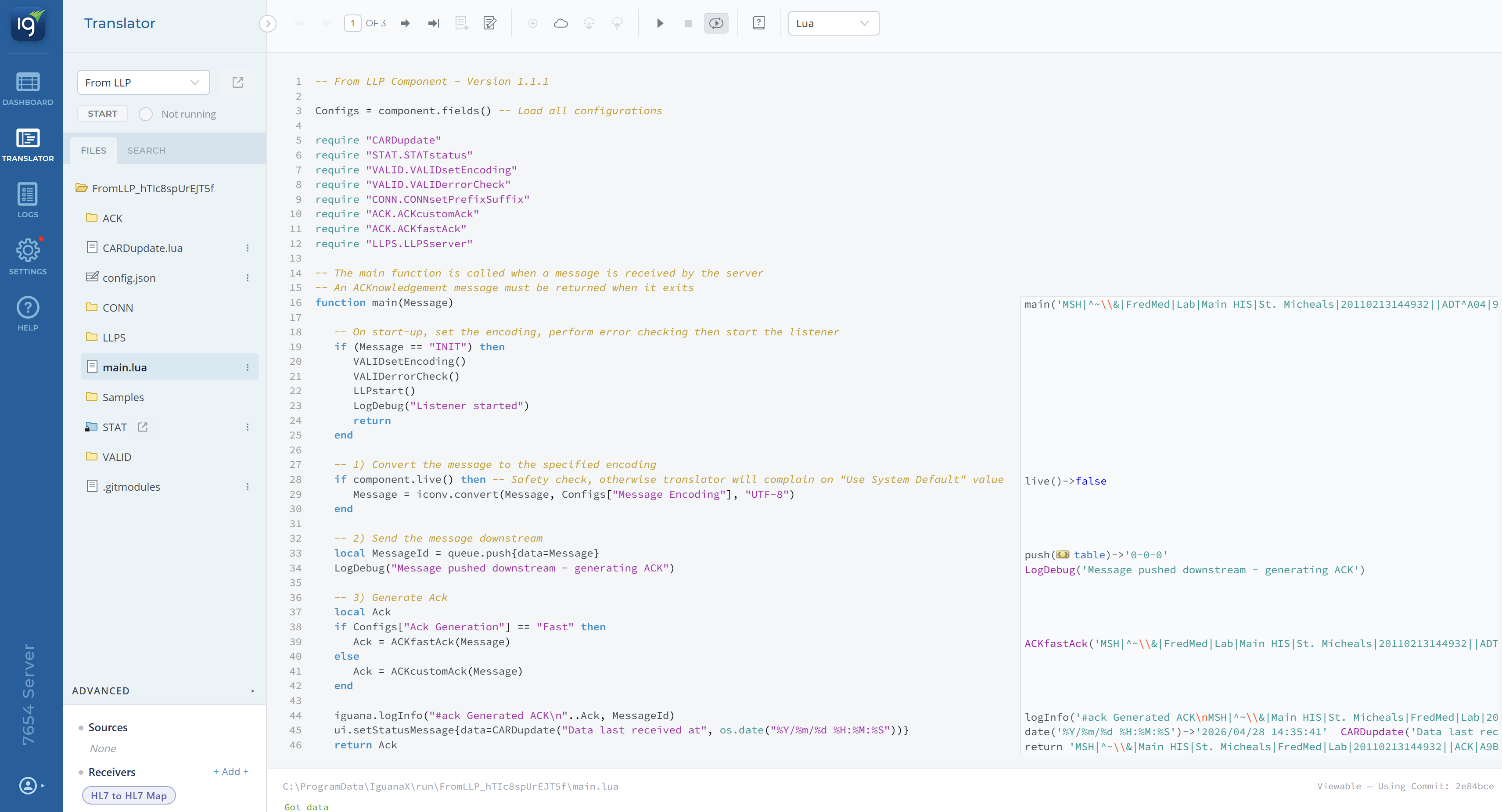
In addition to pre-built components, there are also pre-built libraries available for use within your Translator projects:
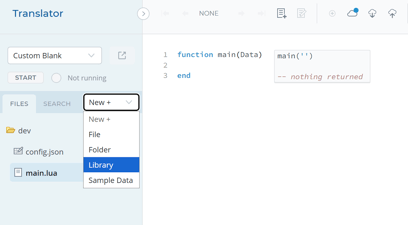
Utilizing these pre-built modules can help immensely with structuring and building your integrations. Since these modules are written in Lua and the source code is viewable, you can learn from working examples, customize existing logic, and build on pre-existing functions instead of writing everything from scratch. To explore available modules and libraries, see iNTERFACEWARE Collections.
Use AI to help build your integrations with IguanaX's ChatGPT
There is an IguanaX Lua ChatGPT publicly available which is tuned to write Lua code for components in IguanaX. Since IguanaX is a code-based environment, AI can help speed up development by generating examples, explaining unfamiliar syntax, and helping translate integration logic into Lua-style code.
Coding assistance inside the Translator
Auto-Complete
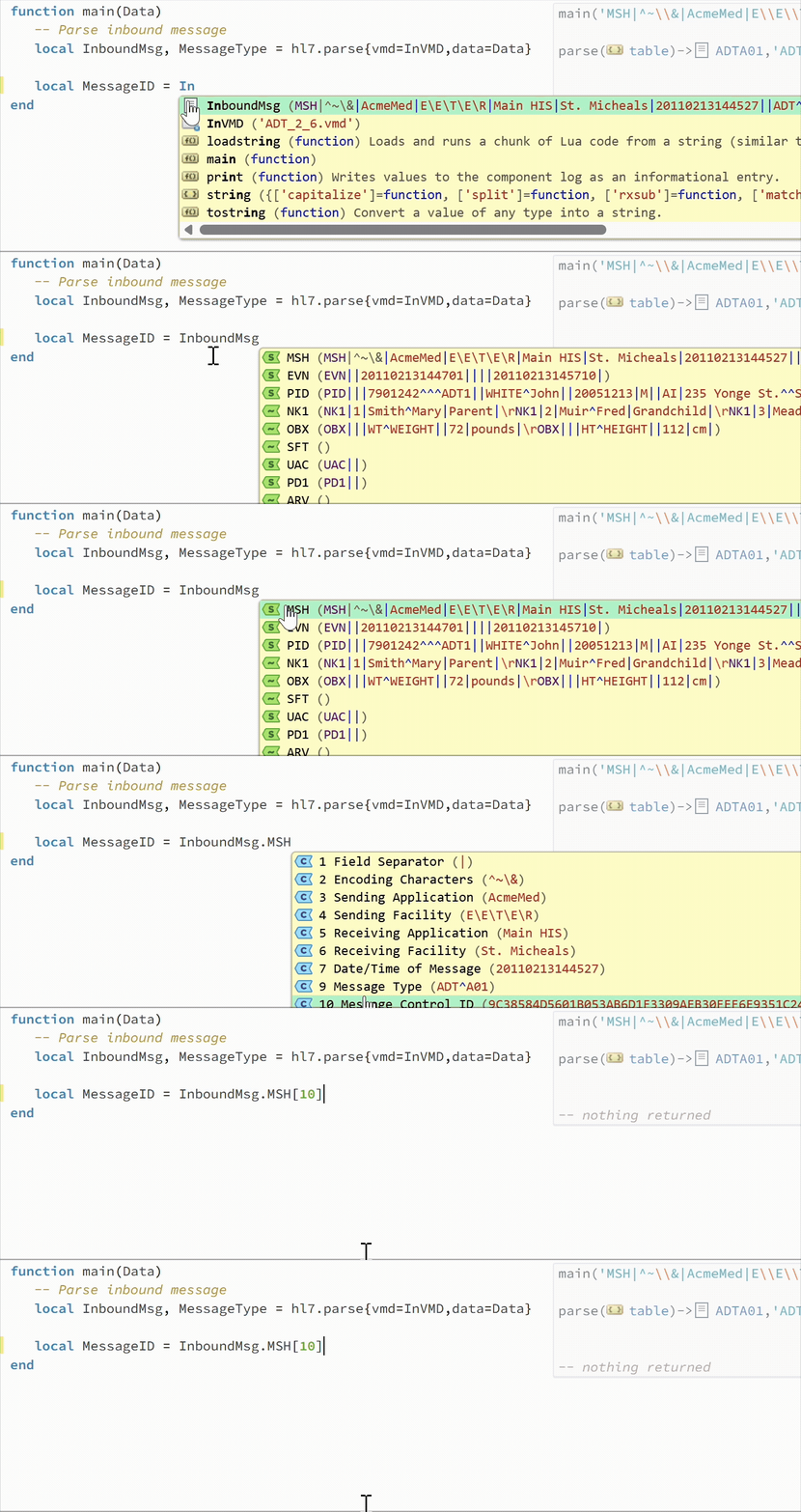
Inside the Translator, as you type, you will see suggestions for how to complete your code. These suggestions are clickable and can help you insert functions, variables, parameters, and fields without needing to remember every name or syntax detail. Auto-completion also helps you view variable values and function definitions while you work.
Two of my favourite benefits from this feature are:
- It speeds up development when calling a function as it will auto-fill the function parameter names for you:

-
It helps with indexing by providing an easy click-through flow for you to navigate down to the appropriate field:
Annotations
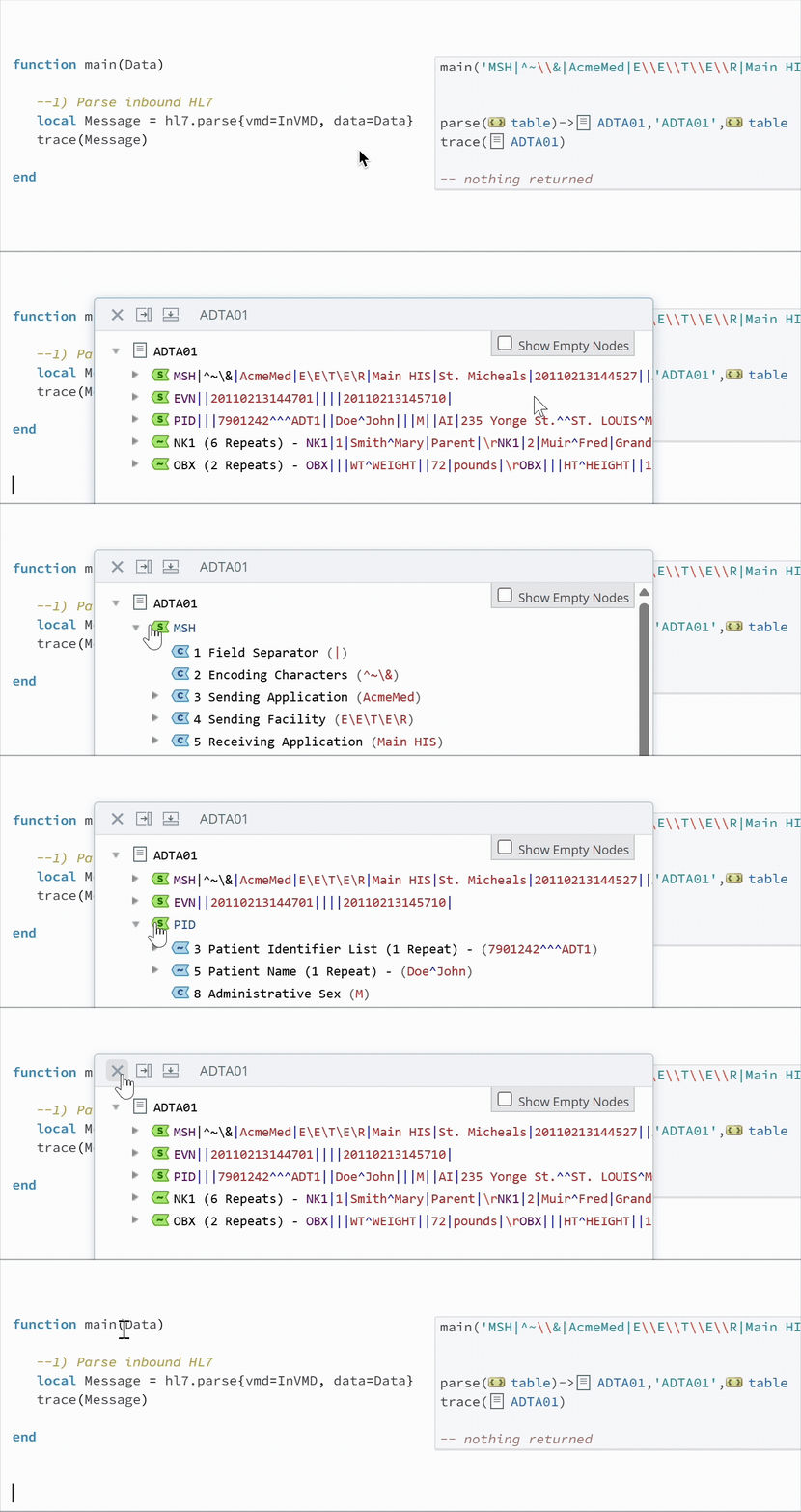
While developing and debugging your code, you can see live results in the Translator inside the Annotation Windows on the right-hand side. This means you can see results from database writes, API calls, and more while you build.
If you have sample data for your interface, this makes the Annotations even more valuable: you can see exactly how the sample data will work its way through your code.
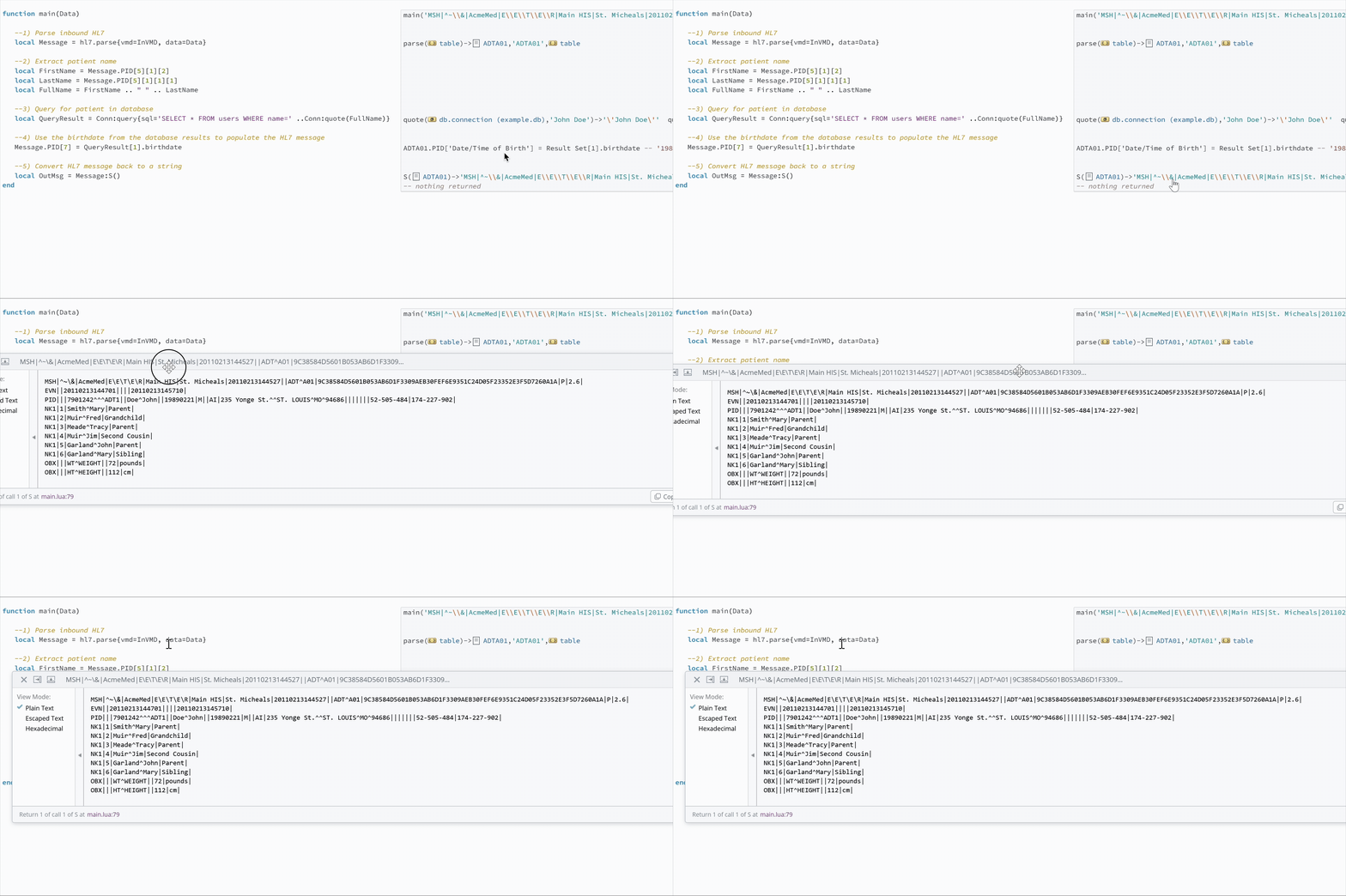
Let's break this down with an example showing the Annotations for each step. In the following demonstration, we:
- Parse an inbound HL7 message.
- Extract the patient's name from the HL7 message.

- Use the patient's name to perform a database lookup.

- Use the results from the database query to populate the patient's birthdate in the HL7 message.

- Convert the final message back to a string for further processing.
Here is an image of the full code with Annotations:
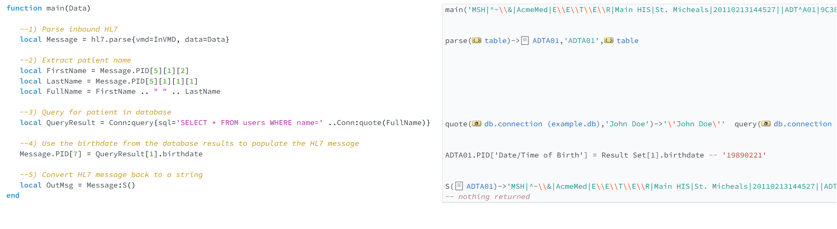
This is one of the biggest differences between writing Lua in Iguana and writing code in a generic editor. You are not just staring at code and guessing what happened. As each line runs, Iguana shows you the data flowing through your script, making it easier to understand, troubleshoot, and build with confidence.
Summary
In this post, we explored Iguana's use of Lua for the development environment, including:
- How Lua shares familiar concepts with other common languages
- How Iguana’s pre-built components and libraries help you start from working examples
- The Translator's Auto-complete feature to speed up coding
- The Translator's Annotation Windows for viewing live results, which are especially advantageous for building and debugging components
Lua may be new to developers, but that does not mean building with it in Iguana means starting from scratch. Its syntax is simple, its concepts are familiar, and Iguana’s development environment gives you tools to learn, build, test, and troubleshoot as you go.
The best way to see these features in action is to try them yourself by getting started with IguanaX today.